Airfoil Simulator see lift, drag, and stall risk change

Change angle of attack, speed, wing area, and airfoil shape to see why lift rises at first and why steep angles stall.

Read the guide

Airfoil Simulator interactive tool

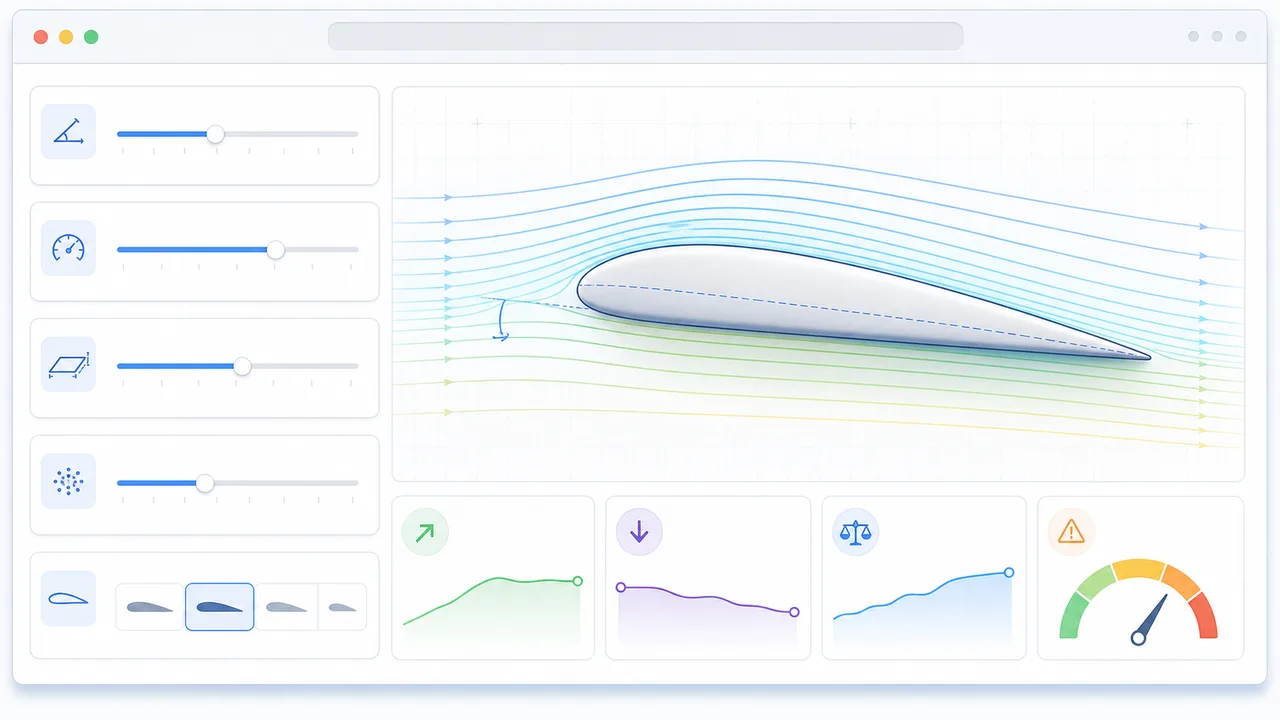
Start Airfoil Simulator here. Move the controls, watch the streamlines, and compare lift, drag, lift-to-drag ratio, coefficient changes, and stall risk in real time.

Controls

Adjust one input at a time to see how angle of attack, air speed, area, density, and airfoil shape change the estimate.

Live airflow

Streamlines

Low risk

The matching canvas badge flashes as you adjust a control. Speed drives flow motion, density changes flow intensity, area scales the wing, and orange separation appears near stall.

Lift

-- N

Drag

-- N

Lift-to-drag

--

Stall risk

--%

Lift coefficient

--

Drag coefficient

--

Dynamic pressure

-- Pa

Attached-flow estimate

Airfoil Simulator uses simplified lift and drag coefficient curves for learning. It is not a CFD solver or aircraft certification tool.

Airfoil Simulator overview and airflow results

Airfoil Simulator turns core aerodynamic inputs into a visual airfoil estimate so lift, drag, and stall behavior are easier to compare.

Airfoil Simulator visual workflow

Set angle of attack, speed, area, density, and shape, then use Airfoil Simulator to watch how streamlines move around the airfoil.

Airfoil Simulator overview showing controls, streamlines, lift, drag, and stall risk

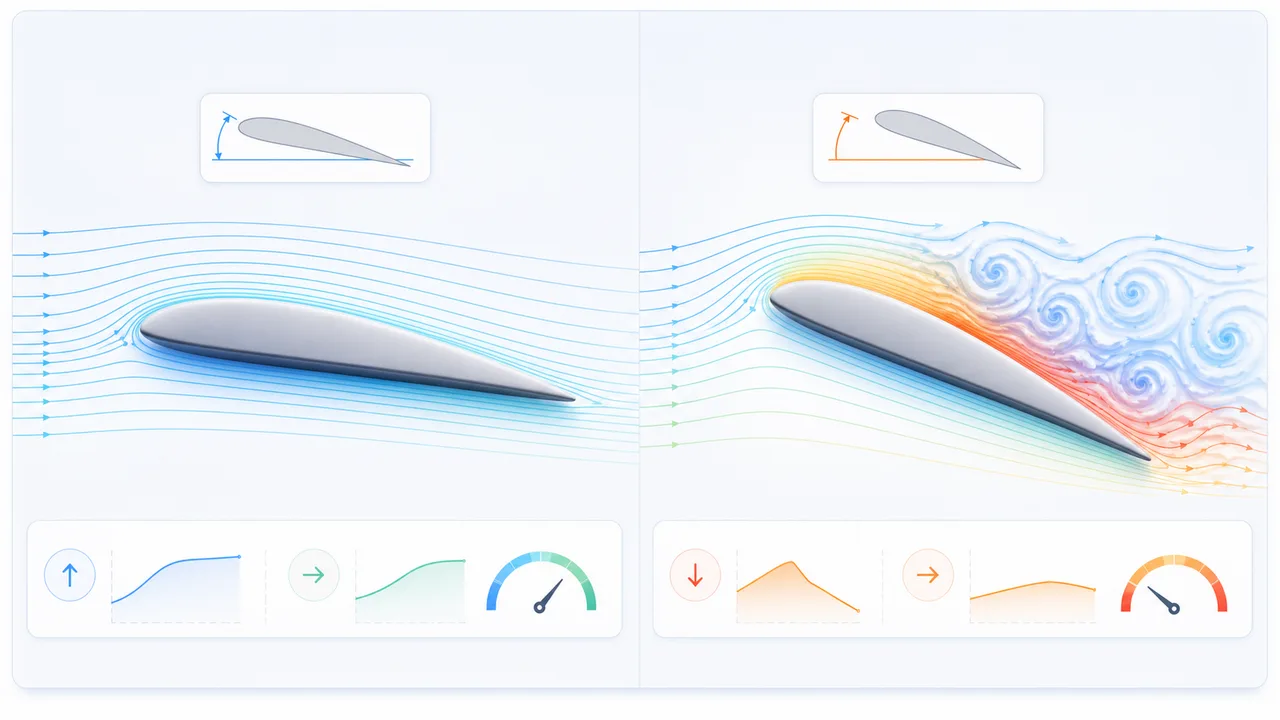
Airfoil Simulator stall comparison

Increase angle of attack in Airfoil Simulator to see why lift rises at first, then becomes less efficient when airflow separates.

Airfoil Simulator stall comparison with smooth airflow and separated airflow around an airfoil

Airfoil Simulator quick guide

Use this Airfoil Simulator guide to build a clear first case and understand what each aerodynamic control changes.

  1. Airfoil Simulator set a stable baseline

    Start near 6° to 8° angle of attack with sea-level density and a moderate air speed so the airflow stays mostly attached.

    • Use 1.225 kg/m³ for a standard sea-level demo
    • Keep one airfoil shape selected while comparing angles
    Open Airfoil Simulator
  2. Airfoil Simulator compare angle of attack

    Move the angle slider upward and watch lift increase, drag rise, and the stall risk badge change as flow separation becomes likely.

    • Small angles usually improve lift
    • Very high angles increase drag and stall risk
  3. Airfoil Simulator share a result

    Copy a result link only when you want to preserve the current airfoil shape, speed, area, density, and angle settings.

    • Your page link stays simple while you experiment
    • Try another physics simulator after this one