





Density and Buoyancy Simulator see why objects float or sink

Pick a material, set mass and volume, choose a liquid, and drop the object into the tank to see buoyant force and whether it floats.

Read the guide

Density and Buoyancy Simulator interactive lab

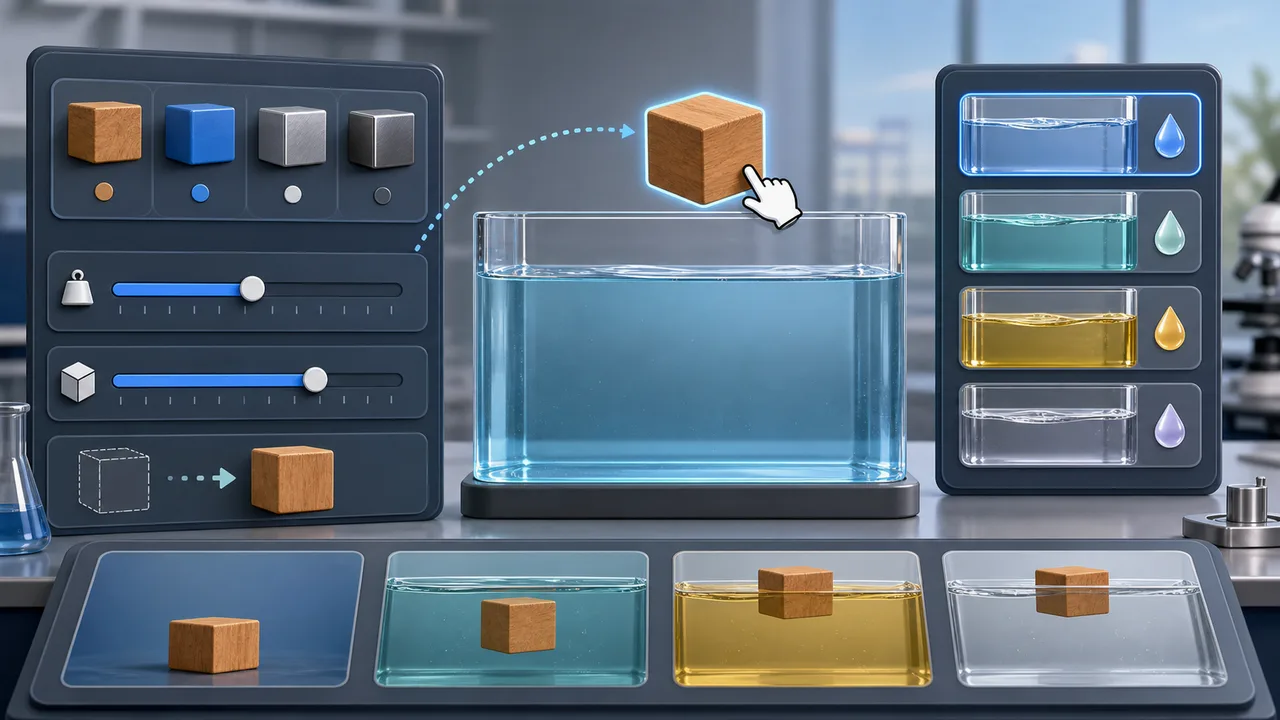
Start Density and Buoyancy Simulator here: choose the object material, mass, volume, and liquid, then drag the object into the tank to compare object density, liquid density, displaced volume, buoyant force, and weight.

Controls

Select a material preset, adjust mass and volume, choose a liquid, then drop the object into the tank.

Virtual buoyancy tank

Floating

Ready
Density model ρ = m / V
Buoyancy model FB = ρfgVd

Live result

Density comparison

Object density 700 kg/m³
Liquid density 1000 kg/m³

Float or sink rule

Archimedes principle

Calculations

70% submerged

Displaced liquid volume

1.40 L

Buoyant force

13.7 N

Weight

13.7 N

Net force

0.0 N

Conclusion

Experiments

Change one variable at a time. Increasing volume lowers object density when mass stays fixed, and increasing liquid density makes floating easier.

Density and Buoyancy Simulator uses an ideal fluid model with g = 9.81 m/s². Surface tension, fluid flow, and object shape details are simplified so the density comparison stays clear.

Density and Buoyancy Simulator experiment workflow

Density and Buoyancy Simulator connects object density, liquid density, displaced volume, buoyant force, and weight in one visible workflow.

Density and Buoyancy Simulator live controls

Choose wood, plastic, aluminum, steel, or custom material, then adjust mass, volume, and liquid type while Density and Buoyancy Simulator recalculates density instantly.

Density and Buoyancy Simulator interface with material choices, mass and volume sliders, liquid selector, and drag-to-tank workflow

Density and Buoyancy Simulator force comparison

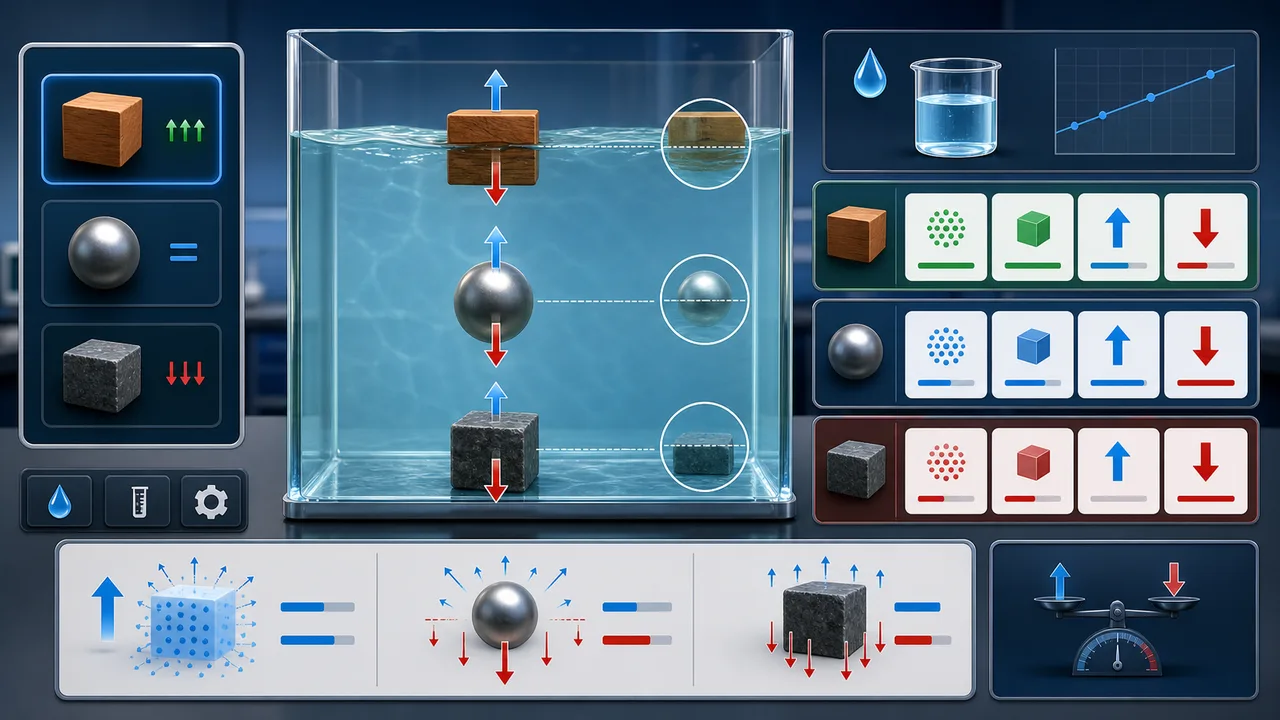
Drop the object into the tank and use Density and Buoyancy Simulator to compare buoyant force, weight, displaced liquid volume, and float-sink state.

Density and Buoyancy Simulator tank with floating suspended and sinking objects, buoyant force arrows, gravity arrows, and result cards

Density and Buoyancy Simulator quick guide

Use this Density and Buoyancy Simulator guide to connect density formula, Archimedes principle, floating, suspension, and sinking.

  1. Set up Density and Buoyancy Simulator

    Choose a material preset or custom object, set mass and volume, then choose water, salt water, oil, alcohol, or custom liquid density.

    • Start with wood in water for a clear floating example
    • Try steel in water to see full displacement and sinking
    Open simulator
  2. Change Density and Buoyancy Simulator variables

    Change one input at a time. Keep mass fixed and increase volume to lower object density, or keep the object fixed and increase liquid density to make floating easier.

    • Compare water and salt water with the same object
    • Use the neutral test to see density matching
  3. Explain Density and Buoyancy Simulator results

    Use the object density, liquid density, displaced volume, buoyant force, weight, and net force cards to write a clear Archimedes principle conclusion.

    For homework, state the density comparison first, then support it with buoyant force versus weight.