


Pendulum Lab Simulator see what controls a pendulum's period

Change length, bob mass, starting angle, and gravity to watch the swing, displacement graph, period, and maximum speed update.

Read the guide

Pendulum Lab Simulator interactive experiment

Start Pendulum Lab Simulator here: set length, mass, initial angle, and gravity, then compare T = 2π√(L/g) with the animated experimental period and live angle graph.

Controls

Change pendulum length, bob mass, starting angle, and gravity environment to test which inputs affect period.

Virtual pendulum lab

Earth

Running
Small-angle model T = 2π√(L/g)
Current angle 20.0°

Live result

What affects period?

Length affects
Gravity affects
Mass no effect

Angular displacement

Angle graph

0.50 Hz

Period comparison

Theoretical period

2.01 s

Experimental period

2.02 s

Frequency

0.50 Hz

Maximum speed

1.09 m/s

Theory versus experiment

Pendulum Lab Simulator uses an ideal simple pendulum model. The theoretical period uses the small-angle formula, while the experimental period adds a small amplitude correction for larger angles.

Pendulum Lab Simulator experiment workflow

Pendulum Lab Simulator connects controls, animation, formulas, and graphing so learners can see why length and gravity change period while mass does not.

Pendulum Lab Simulator live controls

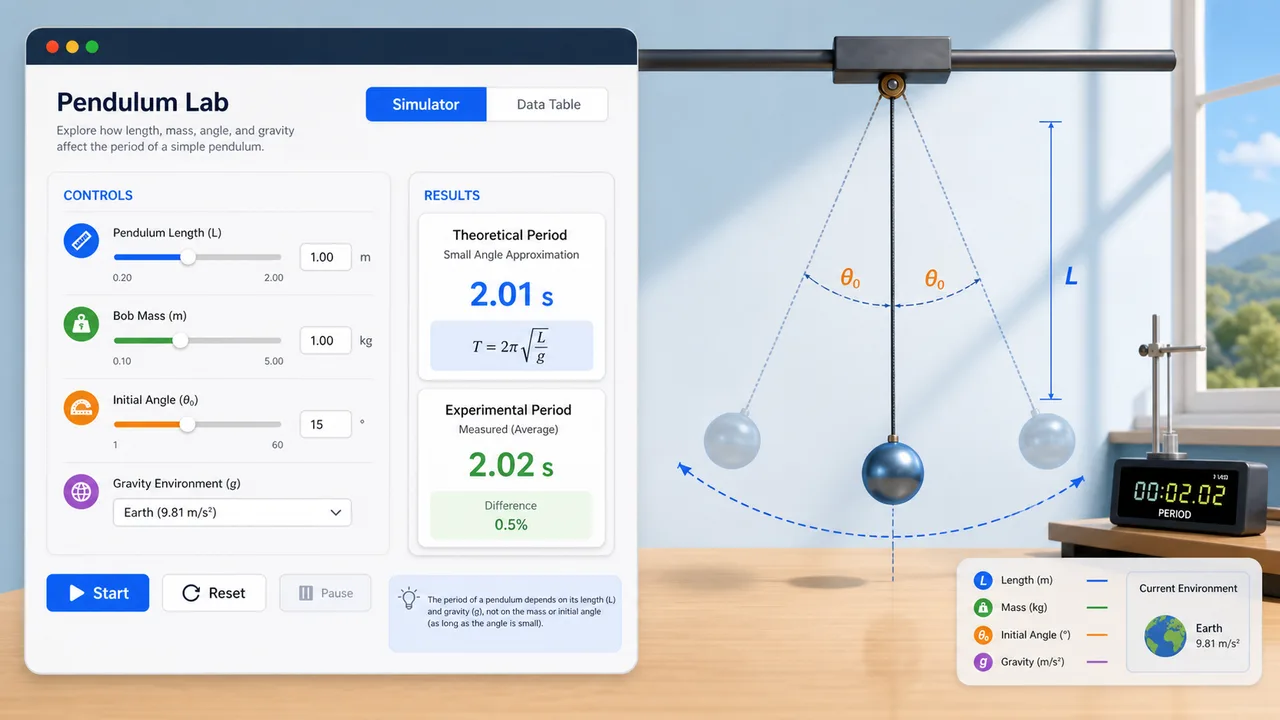
Adjust pendulum length, bob mass, initial angle, and gravity environment, then watch the swing and output cards update immediately.

Pendulum Lab Simulator interface with length, mass, angle, gravity controls, swing animation, theoretical period, and experimental period

Pendulum Lab Simulator theory comparison

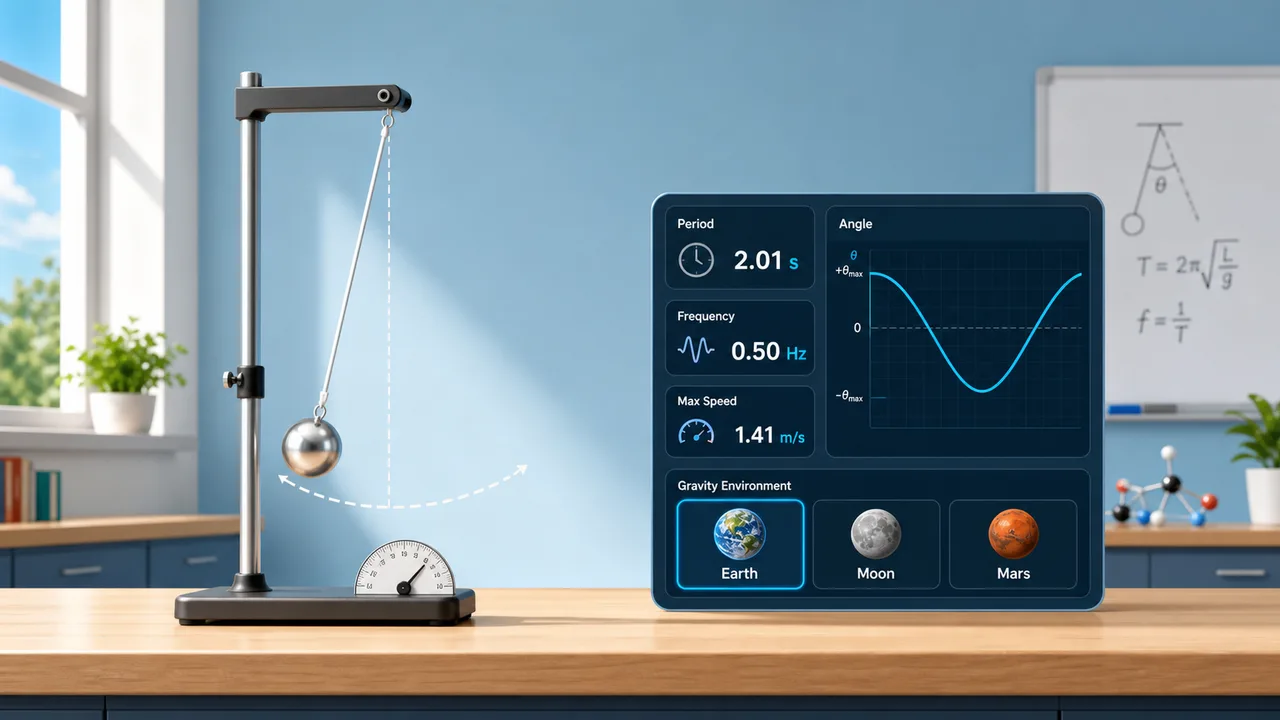
Compare Earth, Moon, Mars, and custom gravity results while Pendulum Lab Simulator plots angular displacement and explains which factors affect period.

Pendulum Lab Simulator comparison with Earth Moon Mars pendulums, period chart, length effect, and mass test

Pendulum Lab Simulator quick guide

Use this Pendulum Lab Simulator guide to connect simple pendulum variables, period formula, gravity, and lab conclusions.

  1. Set up Pendulum Lab Simulator

    Choose pendulum length, bob mass, starting angle, and a gravity environment. Start with Earth, 1 m, and 20° for a familiar classroom setup.

    • Use a small angle to match T = 2π√(L/g) closely
    • Switch to Moon or Mars to see gravity change the period
    Open simulator
  2. Test Pendulum Lab Simulator variables

    Change one input at a time. Increase length to make the swing slower, change gravity to compare planets, and change mass to confirm it does not control period.

    • Keep length fixed during the mass test
    • Compare 0.5 m and 2 m to make the length effect obvious
  3. Interpret Pendulum Lab Simulator results

    Use the theoretical and experimental period cards, frequency, maximum speed, and angular displacement graph to write a clear lab conclusion.

    For lab reports, state that ideal pendulum period depends mainly on length and gravity, not bob mass.