Projectile Motion Simulator set the launch
Start with a medium velocity and a 30° to 50° angle so the first curve is easy to read.
- Use 9.8 m/s² for Earth
- Keep launch height low for textbook comparisons
Adjust launch speed, angle, height, gravity, and air resistance to see how each change reshapes the flight path.
Read the guideStart Projectile Motion Simulator here. Change the controls, watch the animated curve, and read peak height, flight time, horizontal distance, and landing speed in real time.
Move one slider at a time to compare how launch speed, angle, height, gravity, and air resistance change the path.
Share the page, or copy a result link that carries your current settings.
Live trajectory
The curve shows the full launch-to-landing path. The moving point loops through the current flight.
Maximum height
-- m
Flight time
-- s
Horizontal distance
-- m
Landing speed
-- m/s
Projectile Motion Simulator uses exact no-air projectile equations and a small-step drag model when air resistance is enabled.
Projectile Motion Simulator turns the standard projectile motion variables into a visual curve, making range, peak height, and landing speed easier to compare.
Set speed, angle, height, and gravity, then use Projectile Motion Simulator to see the full animated trajectory from launch to landing.
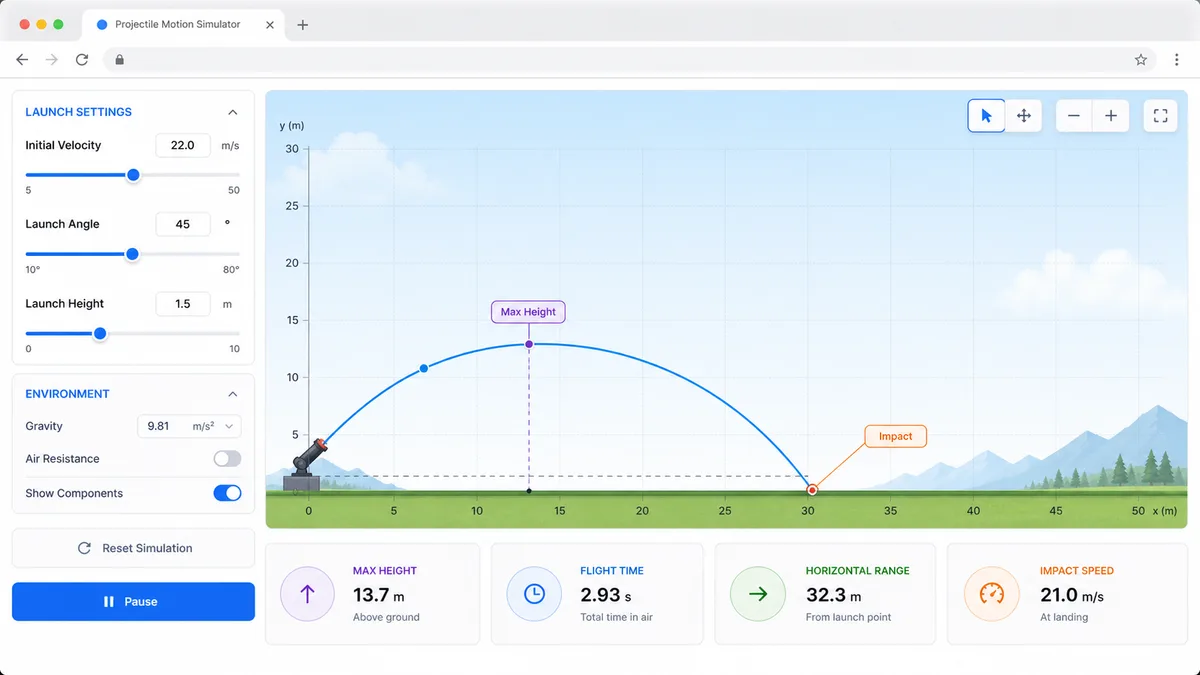
Change launch angle or velocity and Projectile Motion Simulator immediately updates flight time, horizontal distance, peak height, and impact speed.
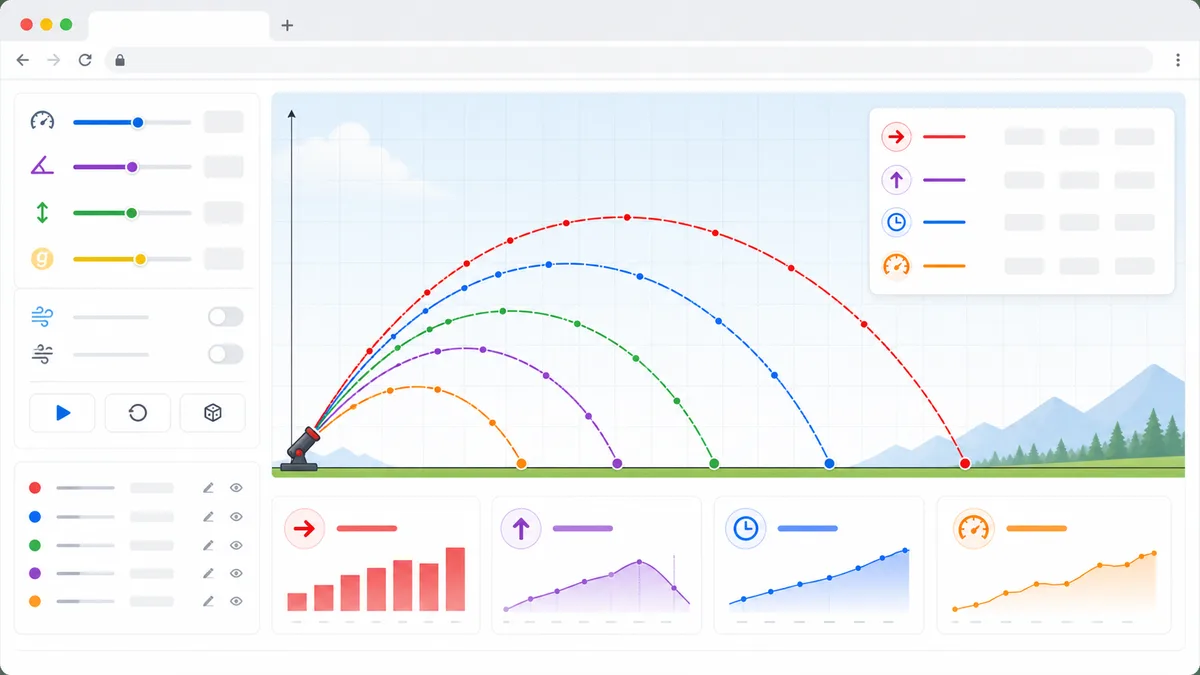
Use this Projectile Motion Simulator guide to build a clean first trajectory and understand what each variable controls.
Start with a medium velocity and a 30° to 50° angle so the first curve is easy to read.
Change only velocity, angle, height, gravity, or air resistance so the new trajectory has a clear cause.
Use the result link when you want to reproduce the same settings later or share a classroom example.