Spaceflight Simulator choose a mission
Pick suborbital, orbit, satellite deployment, Moon, Mars, or return flight so Spaceflight Simulator can score the right objective.
- Start with stable low orbit
- Use the orbit build preset for a baseline
Assemble a rocket from modular parts, check Delta-v, launch with throttle and pitch control, and see if it reaches orbit, the Moon, or Mars.
Read the guideStart Spaceflight Simulator here. Pick rocket parts, choose a mission target, watch live mass and Delta-v estimates, then launch and guide the flight on the 2D canvas.
Set command, fuel, engine, separator, parachute, fairing, solar panel, and payload counts. The simulator recalculates mass, cost, drag, fuel, thrust, burn time, and Delta-v.
Share the page, or copy a result link that carries the current rocket parts and mission target.
Total mass
-- t
TWR
--
Delta-v
-- m/s
Estimated max height
-- km
Orbit capability
--
Transfer readiness
--
Live 2D flight
Altitude
0 km
Speed
0 m/s
Fuel
0%
Acceleration
0 m/s²
Periapsis
-- km
Apoapsis
-- km
Orbit shape
Launch path
Mission progress
0%
Launch a rocket to generate mission scoring, efficiency, orbit stability, landing speed, and improvement advice.
Score
--
Fuel efficiency
--
Remaining Delta-v
--
Landing speed
--
Improvement suggestions
Spaceflight Simulator uses a simplified educational model based on rocket equation and two-body orbit ideas; it is not an official game clone or a professional mission design system.
Spaceflight Simulator connects the build screen to mission outcomes so rocket choices are visible in every flight metric.
Use Spaceflight Simulator to combine command capsules, tanks, engines, separators, parachutes, fairings, solar panels, and payloads into a launch-ready stack.
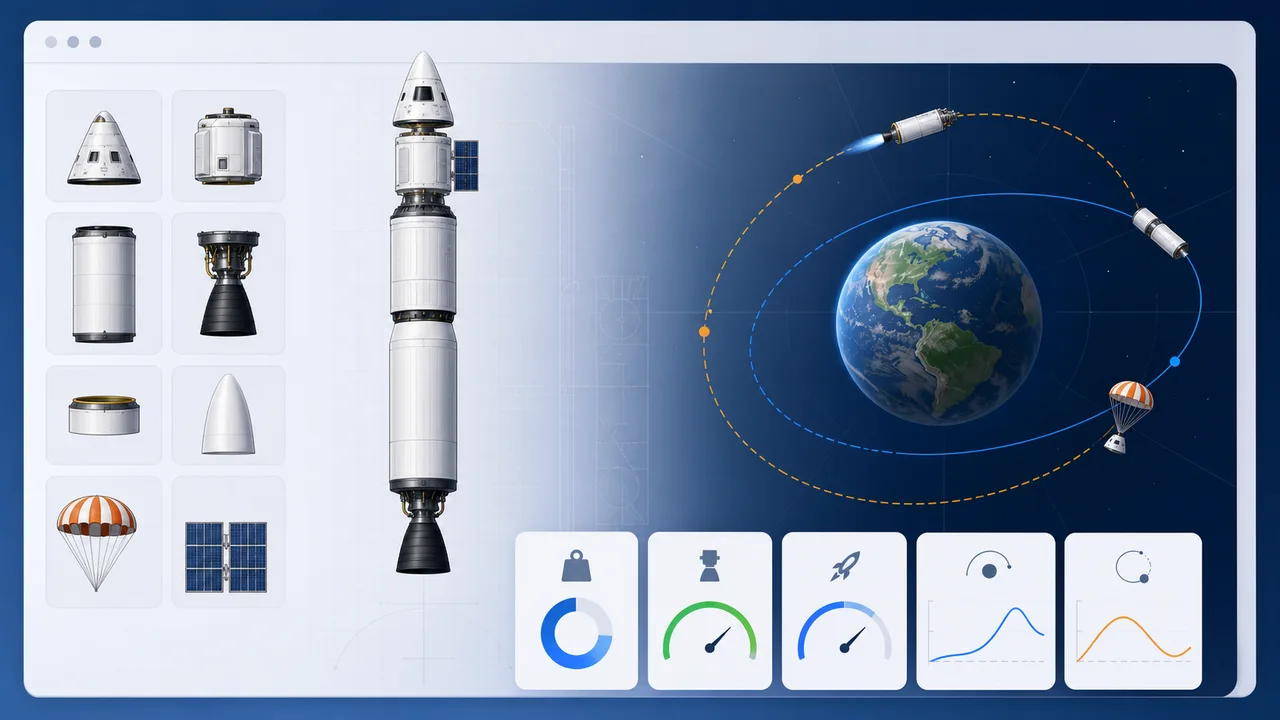
After launch, Spaceflight Simulator compares suborbital arcs, elliptical orbits, circularization, transfer trajectories, crashes, and landing attempts.
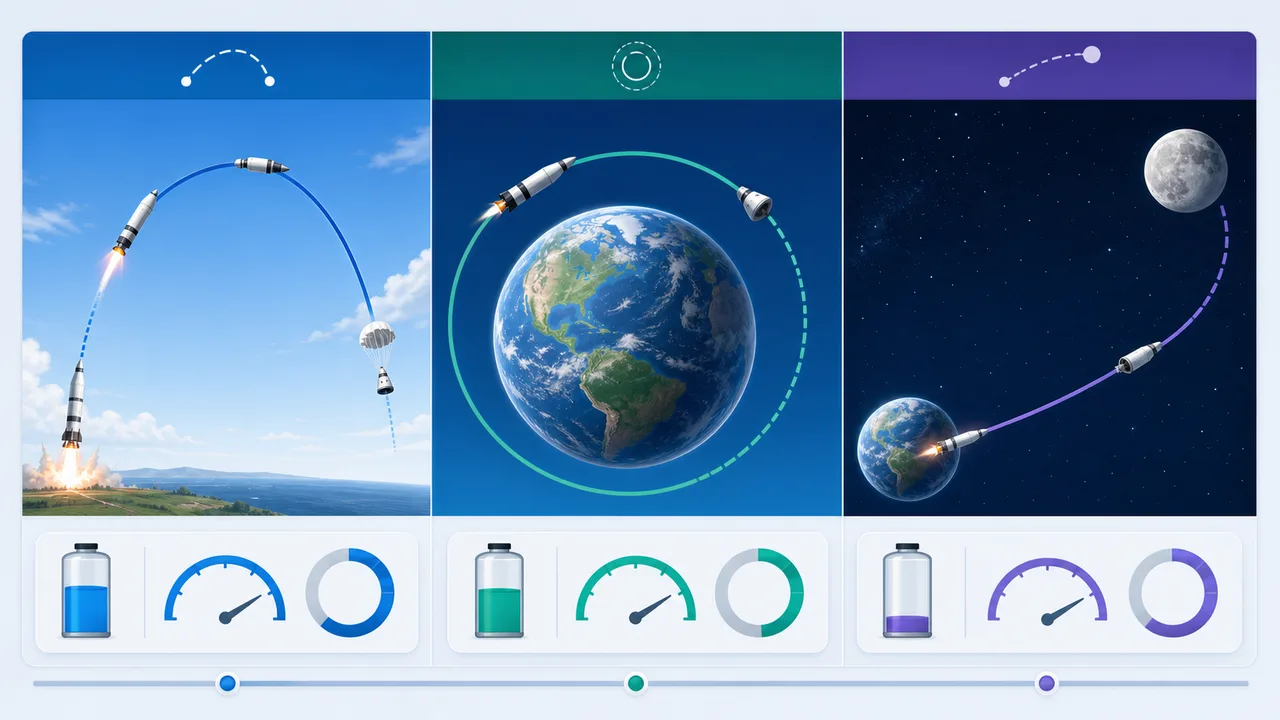
Use this Spaceflight Simulator guide to build a first orbit-capable rocket and understand the launch controls.
Pick suborbital, orbit, satellite deployment, Moon, Mars, or return flight so Spaceflight Simulator can score the right objective.
Add tanks for Delta-v and engines for thrust-to-weight, then watch whether Spaceflight Simulator marks the design as orbit or transfer ready.
Launch vertical, then lower pitch gradually to build horizontal speed before circularization in Spaceflight Simulator.